

In our State of Agentic AI report, 60% of organizations reported having AI agents running in production. Those agents install packages, run scripts, and call external services on their own, and much of that work now happens on developer laptops, with developer credentials. Running untrusted or experimental code directly on your machine has always carried risk, and handing that same machine to an autonomous agent raises the stakes.
A sandbox environment gives code a separate, controlled space to run in, with limited access to the machine underneath and external systems. How strictly it holds that line depends on how the sandbox is built, which is where the differences between them start to matter.
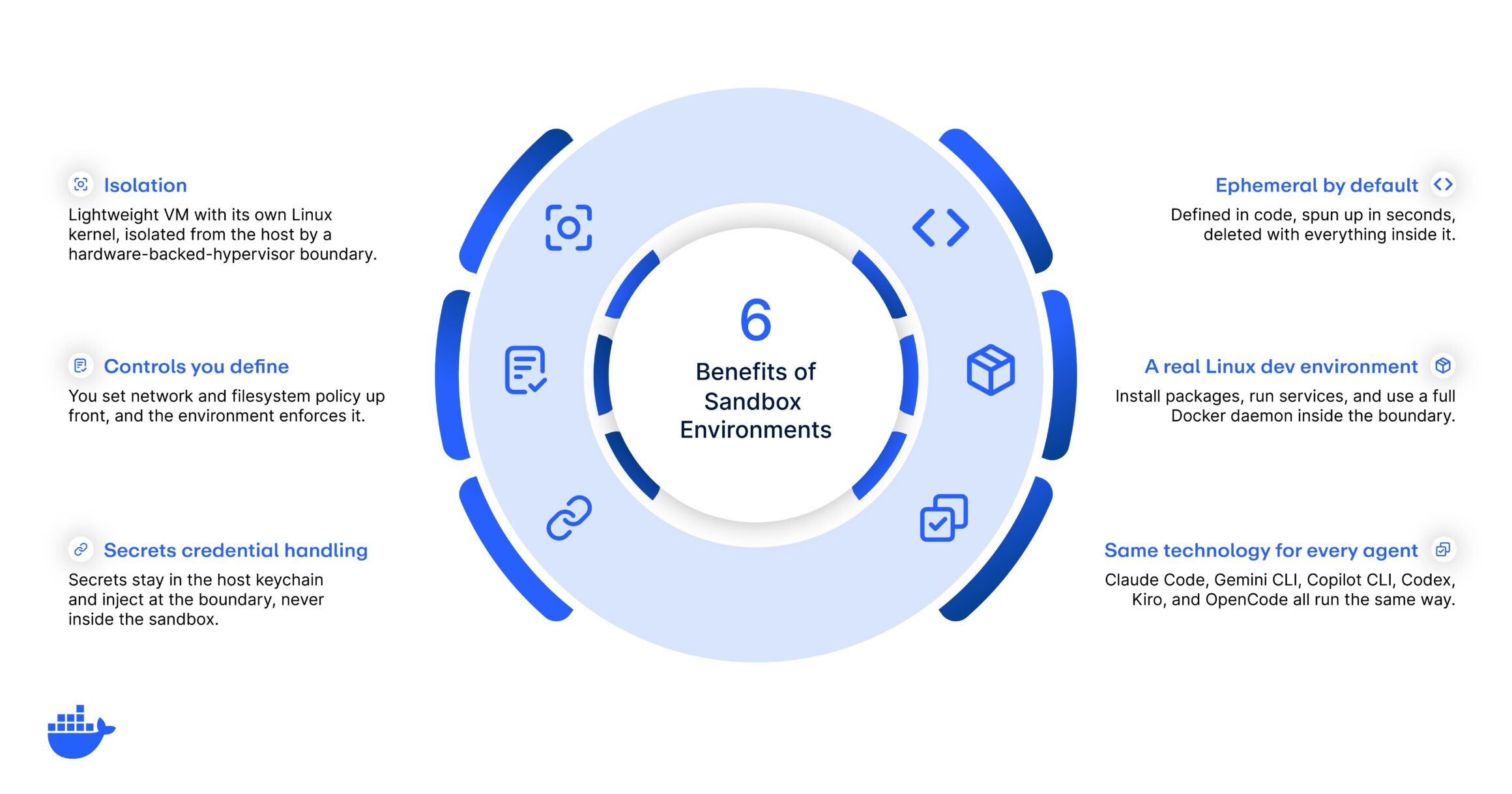
The benefits of sandbox environments are worth understanding on their own, and they compound when the thing running inside is an agent working unattended with permissions auto-approved. Below are six, from isolation and credential handling to the policy you enforce at runtime, and how Docker Sandboxes delivers each one.
キーテイクアウト
- A sandbox gives you a hard isolation boundary, so untrusted code or autonomous agents run without access to the host machine.
- Docker’s sandbox environments offer benefits like isolation, policy you control, safe credentials, disposability, a real Linux dev environment, and the same sandbox technology for every agent.
- A sandbox enforces the network and filesystem policy you define at runtime, which is what makes it the enforcement point for governance.
- For AI agents, these benefits combine into full autonomy inside a boundary that allows them to get work done, safely.
1. Isolation
Everything in this list builds on isolation, and the strength of that boundary is what makes a sandbox trustworthy. For Docker Sandboxes, each sandbox runs in its own microVM: a lightweight virtual machine with its own Linux kernel, isolated from the host by a hardware-backed hypervisor boundary.
That boundary is the same kind of isolation a full virtual machine gives you, and it’s what lets you hand an agent real freedom. Because a Docker sandbox runs its own kernel, a compromised or runaway agent can’t reach the host, other sandboxes, or anything outside its environment. If it tries to escape, it hits a wall. So an agent can install packages, pull untrusted dependencies, and run code unattended. But when something inside goes wrong, the damage stays in the sandbox and disappears when you discard it. That containment is what makes it safe to let an agent run at full speed.
| ⓘ MicroVM vs. container isolation: A (Linux) container shares the host’s kernel, so its isolation depends on kernel-level controls. Note that when using Docker Desktop, in order to provide an environment for running Linux containers, you’re already using a VM for hosting containers, so they are isolated from the host OS. However, all containers still share the same kernel (the one of the Linux VM). Hence, you won’t have strong isolation between containers. |
2. Network and filesystem controls you define
Isolation sets the outer wall. The controls you define decide what the workload can reach while inside it. Most sandboxes let you scope network and filesystem access to some degree: which domains and IP ranges the workload can reach, and which paths on the host, if any, it can read or write. How precisely you can express that policy varies between tools, and it’s worth checking before you commit, because broad-strokes rules leave gaps that an agent will eventually find.
Docker Sandboxes lets you set that policy per sandbox and enforces it at the boundary at runtime, so the rules hold even when the code inside tries something you didn’t anticipate. The same controls that keep an experiment from making unauthorized outbound connections also shut down data exfiltration and block access to untrusted or malicious services. Restricting the filesystem keeps sensitive host paths, like SSH keys and cloud credentials, out of reach.
3. Secure credential handling
Agents need credentials to do useful work: a token to push to a repo, an API key to call a service. The risk is that a credential sitting inside the environment can be read, logged, or leaked by whatever runs there. Most sandboxes pass secrets in as environment variables or mounted files, which puts the value inside the boundary where the workload can read it, and so can anything the workload runs.
Docker Sandboxes keeps credentials out of the environment entirely. They stay in the host keychain, and the sandbox injects them into outbound network requests at the boundary, so the workload gets the benefit of the credential while the value itself stays on the host. An agent that can’t read a secret also can’t exfiltrate it, write it to a log, or hand it off to a prompt-injected instruction. The credential does its job on the request path while the sensitive material stays under your control.
4. Ephemeral, disposable environments you can recreate fast
A sandbox is quick to create and easy to throw away, so you can treat every one as disposable. When a task finishes, or when an agent goes off the rails, you can delete the environment and everything inside goes with it, from installed packages to running processes to any changes the agent made to the system. But if your working directory is mounted from the host, the files the agent creates or edits there stay on your machine even after the environment is gone.
The recreation side is just as valuable. Because a sandbox is defined in code, you can spin up an identical environment on demand, configured the same way every time, down to the packages and settings. This is the infrastructure-as-code approach applied to your workspace: reproducible, versionable, and consistent across a team. For agents, disposability also unlocks parallelism. You can run several agents at once, each in its own fresh environment, and tear them all down when the work is done.
5. A real Linux dev environment with a full Docker daemon
Isolation doesn’t have to mean a stripped-down box. A sandbox worth using gives the workload a real Linux environment with the tools a developer or an agent actually needs, so you can install packages, run services, start databases, and compile code inside the boundary. Environments vary widely in how complete they are, and a thin one pushes work back onto the host, which defeats the point of having a boundary at all.
Docker Sandboxes includes a full Docker daemon, isolated within the sandbox, so an agent can build and run containers as part of its work with no path back to the host daemon. That’s a meaningful capability for agentic workflows, where a single task might involve building an image, running a test suite in a container, and tearing it all down. The environment behaves like a genuine machine, which is what makes it a viable place to do real work.
6. The same sandbox technology for every agent
Developers will often move between agents. One task suits Claude Code, another suits Gemini CLI, Copilot CLI, Codex, Kiro, or OpenCode. If each agent brought its own isolation model, you’d be securing a different environment for every tool, and each vendor’s model could shift with a version bump.
A single sandbox technology solves this by running every agent the same way, inside the same kind of isolated environment with the same policy engine. You define network, filesystem, and credential policy once, and it applies no matter which agent is doing the work. For a platform or security team, that consistency is what makes governance enforceable at scale: one boundary to reason about, one set of controls to audit, across every agent your developers adopt.
Who gets the most from sandbox environments
The same six benefits pay off differently depending on your role.
- 個々の開発者
- You get freedom to experiment. You can try a risky dependency, run an unfamiliar tool, or let an agent work unattended, knowing the environment is contained and disposable. When something breaks, you delete it and start clean, and your machine is never in the blast radius.
- Platform teams
- You get consistency and control. A sandbox defined once gives every developer the same environment and the same policy, across whichever agents they use. That means less setup for your developers to think about and a single standard you can maintain centrally.
- Security teams
- You get containment and oversight. A sandbox limits what an agent can reach and gives you one boundary to monitor across every tool. You can approve agent adoption because the environment enforces your policy at runtime, which is the heart of securing AI agents in production. Every environment is disposable, so there’s nothing persistent to compromise.
Why this matters for AI agents
Put the six together and you get the reason why sandboxes might become the standard way to run agents. An agent needs autonomy to be useful. It has to install things, run code, and call services without a human approving each step. Autonomy on your host machine is dangerous, but put it inside a sandbox and it’s safe.
Isolation contains what the agent can do, and the controls you define scope what it can reach. Credentials stay out of its hands, so a compromised agent has nothing to leak. When a run goes sideways, disposability lets you throw the environment out and start over in seconds. And a real Linux dev environment means the agent can do genuine work, and running every agent on one sandbox technology keeps all of this consistent no matter which tool your team reaches for. Together, these benefits let an agent operate at full speed while keeping the blast radius of any mistake close to zero.
Run agents safely with Docker Sandboxes
These benefits depend on each other, and a gap in any one becomes the weak point a runaway agent finds first. Isolation without credential handling still leaks your secrets, and a dev environment you can’t tear down cleanly turns into a liability the first time an agent misbehaves.
Running agents safely means delivering all six together, and that’s what Docker Sandboxes is built to do. Containment comes from microVM isolation, the controls are the network and filesystem policy you set, and credentials stay in the host keychain, injecting at the boundary so the agent never sees them. Environments are disposable and defined in code, the workspace is a real Linux system with a full Docker daemon, and the same sandbox technology runs every major coding agent the same way.
And when you’re ready to run agents safely across a team, Docker AI Governance extends the same boundary into org-wide policy. You define network, filesystem, and tool-access rules once, govern which credentials a session can use, and apply it on every developer’s machine, with an audit trail security can defend.
よくある質問
What is a sandbox environment used for?
Sandboxes give coding agents and the code they run an isolated, disposable place to execute, fully separated from the host. The main use is running AI coding agents like Claude Code, Codex, or Gemini CLI unattended, letting them install packages, run services, and even run Docker inside the sandbox, and trying risky changes you’d rather keep off your machine.
What is the main benefit of a sandbox environment?
Isolation. A sandbox keeps whatever runs inside from reaching the host, so a mistake, a malicious package, or a misbehaving agent stays contained.
Are sandbox environments only for security?
No. Security is a major benefit, but sandboxes also improve reproducibility, speed up onboarding, and let developers and agents experiment freely, because the environment is disposable and defined in code.
Do sandbox environments slow developers down?
They don’t have to. MicroVM-based sandboxes like Docker Sandboxes start in seconds and give you a full Linux environment right away, so isolation adds safety at very little cost to speed.
How do sandboxes help with AI agents?
They let an agent run with full autonomy while containing what it can reach. Isolation limits the blast radius, the policy you define scopes access, and credential handling keeps secrets out of the agent’s hands.