
Gordon understands your environment, proposes fixes, and takes action across your entire Docker workflow. Now generally available.
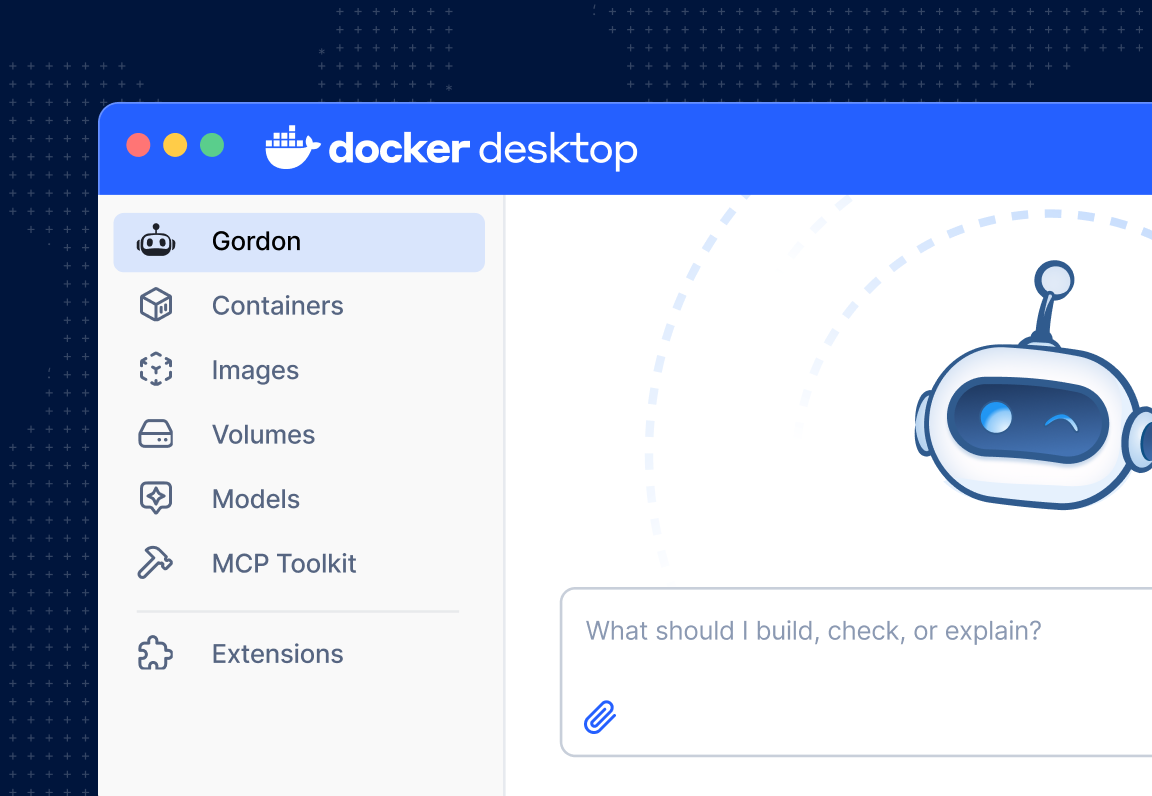
Image 1: Gordon in Docker Desktop
Why Gordon Exists
Developers are more productive than ever. AI coding assistants are writing code, merging PRs and cutting review cycles. But the moment something breaks in a container, or a teammate hands you a service and says “ship it,” you’re on your own.
Containers don’t break the way they’re supposed to. Build cache invalidates for no reason. Postgres can’t see Redis. The image works locally and crashes in CI. Or an error message links to a Stack Overflow thread from 2017.
Modern software development is a stack of friction stacked on top of friction. And the AI tools you already use can’t help. Cursor doesn’t know what’s running. Copilot can’t read your logs. Claude Code can’t inspect your Compose file. They’re great at application logic, but they’re not built for everything that happens after code is written. They work from what you paste in. They don’t know your system.
Docker’s AI Agent, Gordon, does.
Key takeaways
- Gordon is Docker’s AI agent for your entire container workflow, built into Desktop 4.74+ and the CLI.
- It already sees your environment, so you go from problem to fix in minutes instead of hunting for context.
- Every action requires your explicit approval, and permissions reset when the session closes.
- Start free with any Docker account, then scale up to 20x capacity when Gordon becomes part of your daily workflow.
Meet Gordon
Gordon is Docker’s AI agent built for the work developers actually do. Not a chatbot that explains what to do. An agent that takes action, with your approval, across your entire Docker workflow.
Gordon reads your running container logs, images, compose files, and working directory. It already knows your environment before you ask. The context is what makes Gordon different. When something breaks, Gordon doesn’t send you to the docs. It traces the failure in your actual setup, proposes a fix, and waits for you to say go.
Gordon is optimized for Docker and container workflows, but it helps wherever developers need it. Containerize a Node.js app. Debug a crashing container. Spin up a stack of Postgres, Redis, and your own service in one prompt. Read the logs and figure out why your service can’t reach the network. Ship it.
Under the hood, Gordon has shell access, filesystem operations and the full Docker CLI, a knowledgebase of Docker docs and best practices and web access. We don’t build rigid features. We give Gordon a broad set of capabilities and let the agent figure out how to combine them to solve what you actually asked for. New capability in, new behaviors emerge.
It lives where you already work. Inside Docker Desktop and CLI. No new tools to learn. No context to rebuild every time you switch tasks.
Your coding assistance helps you write the code. Gordon helps you ship it.
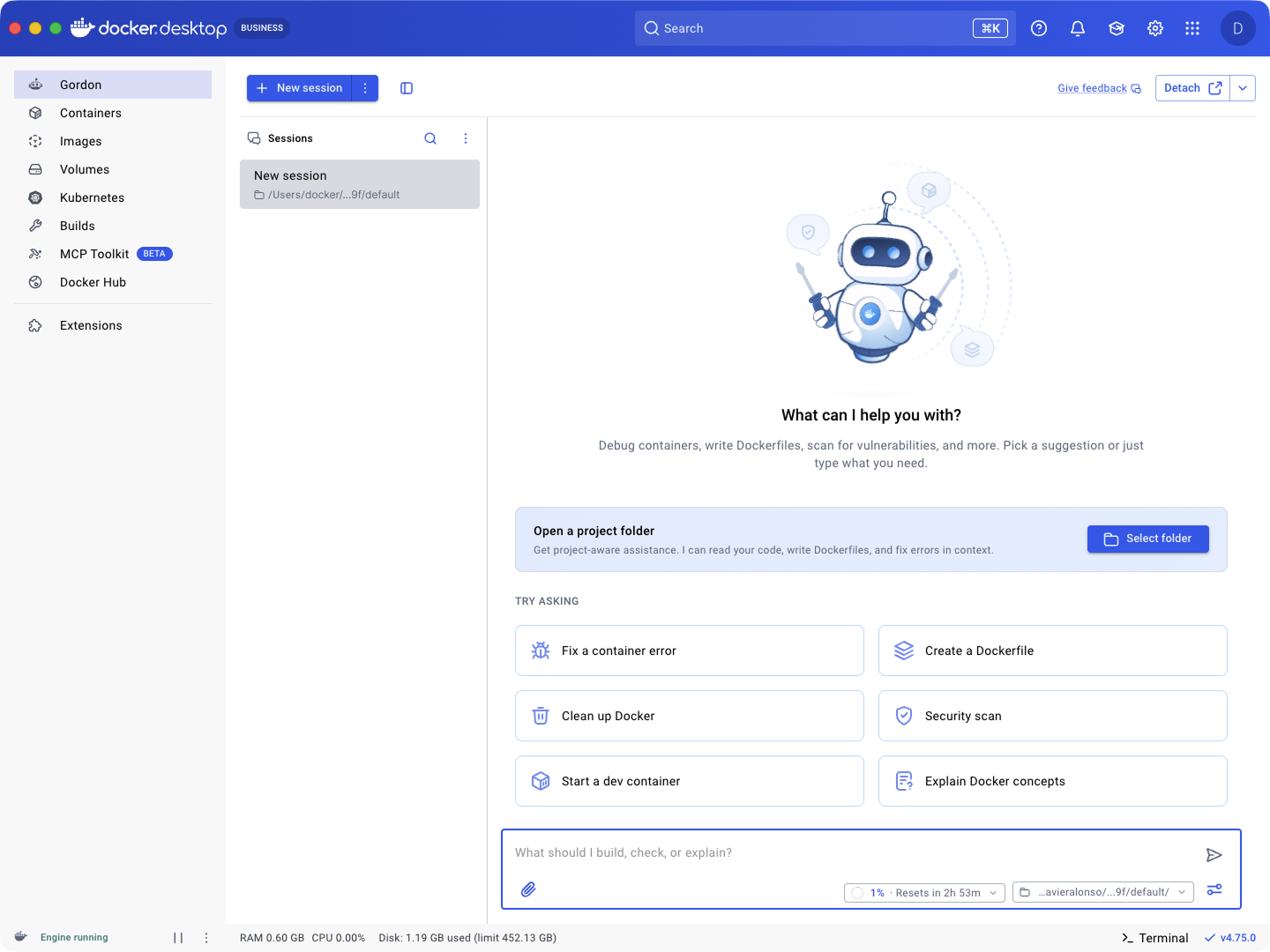
Image 2: Gordon welcome screen
What Gordon Does for You
When something is broken
Your build fails. The error log is dense and unhelpful. You’ve spent twenty minutes scrolling Stack Overflow and you’re no closer.
Tell Gordon: “My container keeps exiting.” Gordon reads the logs, traces the failure to the actual cause, a missing env var, a bad base image, a misconfigured volume mount, proposes a fix, and applies it after you approve. Twenty-minutes collapses to just two.
When you’re starting something new
A teammate hands you a service and says “ship it.” No Dockerfile. No compose file. No idea how it talks to the production database.
Tell Gordon: “Containerize this app and set up a dev environment with Postgres.” Gordon reads your code, drafts the Dockerfile, builds out a docker-compose with the stack, runs it, and shows you the result. From “ship it” to running locally in one conversation.
When you just want it done
Sometimes you don’t need a thoughtful AI agent. You need to clean up dangling images, stop everything that’s running, or pull and run nginx, and you don’t want to look up flags.
Tell Gordon: “Clean up unused images.” Gordon shows you the command, you approve, it runs. Fast Docker without the manual pages.
When you want it better
Your Dockerfile works but the image is 2GB and it rebuilds every time you sneeze. You know there’s a better version of it. But you don’t have an afternoon to find it.
Tell Gordon: “Optimize this Dockerfile.” Gordon proposes a multi-stage build, reorders layers for cache hits, swaps in a slimmer base image, and adds a health check. You diff, you approve, you ship.
When you need context fast
You’re mid debug and you need to know what’s running, what’s using disk, what’s stale. Stopping to look up flags breaks your flow.
Ask Gordon: “Show me running containers.” “How much disk space is Docker using?” “List my images.”
Gordon already knows your environment. Running containers, images, volumes, networks. It answers without you stopping to remember whether the flag is -a or –-all. No pasting. No setup. Just ask.
When you’re learning
Docker has a lot of concepts, and most of the explanations on the internet are years out of date. You’re deep in a new code base and you need to understand volumes, or networking, or why your multi-stage build isn’t doing what you think it is.
Ask Gordon: “Explain bind mounts vs named volumes in the context of my setup.” “Why is my service not reaching the network?”
Gordon explains Docker concepts grounded in your actual setup, in plain language, today. Not a blog post from 2019. Your code, your environment, your answer.
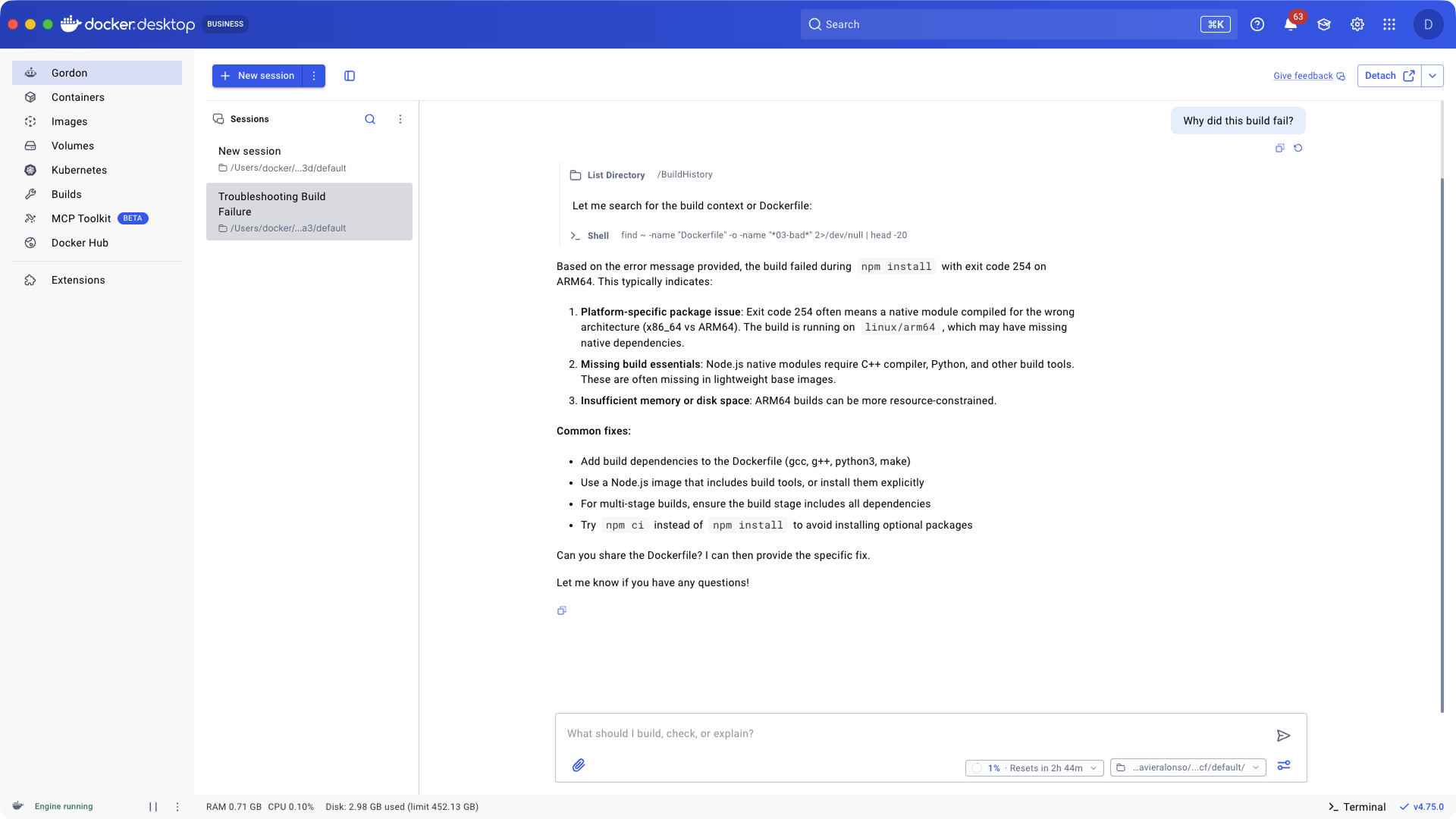
Image 3: Debugging session with Gordon
Where Gordon Lives
Gordon lives where you already work. No new tool to install. No context to rebuild. It’s built into Docker Desktop and the CLI so you can go from question to action without leaving your workflow.
Docker Desktop
Gordon has its own tab inside Docker Desktop. Detach it to float alongside your work, with full context of your environment: running containers, images, volumes, the works.
Gordon, mid-task
The tab isn’t the only way in. Gordon shows up across Docker Desktop at the moment you need it. A container fails to start? Launch Gordon straight from the container list and let it diagnose and fix the problem in place. Same for images, volumes, builds, and search. Wherever Docker Desktop surfaces a problem, Gordon is one click away.
docker ai
Prefer the terminal? Run docker ai from any directory. Same agent, same context, terminal-native. For when you live in a TUI and don’t want to leave it.
Gordon is available on Docker Desktop 4.74 and above.
You’re Always in Control
Gordon takes action, but it always asks first.
Every shell command, every file modification, every Docker operation is shown to you before it runs. You approve, you reject, or you redirect. Gordon proposes. You decide.
We built it this way because an agent that can run commands on your machine should never surprise you. The convenience is in Gordon thinking through the problem, pulling the right context, and lining up the right command. The judgment is still yours.
This is what staying in control actually looks like:
- Approval First. Every action requires your explicit go-ahead. Every time.
- Session-scoped permission. Permissions reset when you close the session. No lingering access.
- Full transparency. You see exactly what commands Gordon wants to run before it runs.
- Configurable. For trusted workflows, you can enable auto-approve and let Gordon move faster.
- Privacy, plainly. We don’t store your code or personal information. Our AI providers don’t retain your data either. Gordon processes your request and that’s it.
Gordon runs on Docker’s SOC 2 Type 2 attested, ISO 27001 certified infrastructure.
Gordon Completes the Stack
Gordon isn’t a replacement for the tools you already use. It’s the agent layer that ties them together.
- Use Gordon when you’re working with Docker, containers, infrastructure, debugging, or anything between your laptop and production.
- Use coding assistants when you’re deep in application logic, refactoring, or generating new code.
- Use both when your task spans the stack, which it usually does.
Most tasks span the whole stack. Your coding assistants help write your code. Now you have an agent that handles both ends.
Start Free. Scale When You’re Ready.
Gordon is included free with every Docker account. No set up. No credit card. Just open Docker Desktop 4.74, login, click the Gordon tab, and start.
Free covers everyday use. Limits reset every few hours so you’re never blocked for long. When Gordon becomes a core part of your workflow, upgrade anytime for more capacity.
Need more? Gordon standalone plans give you 2x to 20x the capacity of the free tier. They’re add-ons. Any Docker account can buy one, including Free.
- Gordon Plus: 2x usage for regular users hitting base limits. $20/mo.
Already using Gordon on a paid Docker plan? Check your email for details on your transition.
Gordon Is Ready Today. Start Shipping.
Gordon is generally available today. Free for every Docker account. Built into the tools you already use. Ready to take action the moment you need it.
This isn’t just another feature upgrade. Gordon is how Docker is building intelligence into the entire developer workflow. Not a standalone AI tool you have to context-switch into, but as an agent layer woven into Desktop, Scout, Offload, Sandboxes and Model Runner. Every part of the stack, working together, with an agent that already knows your environment.
Developers have always trusted Docker to build, ship and run software. Gordon is what that trust looks like when it can act on your behalf.
Get started today:
- Update Docker Desktop to 4.74 or above. Open Desktop, click the Gordon icon in the sidebar, and start a conversation.
- Run docker ai in your terminal for the same agent in CLI form.
- Explore Gordon Plans. Start free. Upgrade when you’re ready.
- Read the docs. Everything you need to start shipping faster.
- Contact sales to learn more.