
Great news for Windows developers working with AI models: Docker Model Runner now supports vLLM on Docker Desktop for Windows with WSL2 and NVIDIA GPUs!
Until now, vLLM support in Docker Model Runner was limited to Docker Engine on Linux. With this update, Windows developers can take advantage of vLLM’s high-throughput inference capabilities directly through Docker Desktop, leveraging their NVIDIA GPUs for accelerated local AI development.
What is Docker Model Runner?
For those who haven’t tried it yet, Docker Model Runner is our new “it just works” experience for running generative AI models.
Our goal is to make running a model as simple as running a container.
Here’s what makes it great:
- Simple UX: We’ve streamlined the process down to a single, intuitive command: docker model run <model-name>.
- Broad GPU Support: While we started with NVIDIA, we’ve recently added Vulkan support. This is a big deal—it means Model Runner works on pretty much any modern GPU, including AMD and Intel, making AI accessible to more developers than ever.
- vLLM: Perform high-throughput inference with an NVIDIA GPU
What is vLLM?
vLLM is a high-throughput inference engine for large language models. It’s designed for efficient memory management of the KV cache and excels at handling concurrent requests with impressive performance. If you’re building AI applications that need to serve multiple requests or require high-throughput inference, vLLM is an excellent choice. Learn more here.
Prerequisites
Before getting started, make sure you have the prerequisites for GPU support:
- Docker Desktop for Windows (starting with Docker Desktop 4.54)
- WSL2 backend enabled in Docker Desktop
- NVIDIA GPU with updated drivers with compute capability >= 8.0
- GPU support configured in Docker Desktop
Getting Started
Step 1: Enable Docker Model Runner
First, ensure Docker Model Runner is enabled in Docker Desktop. You can do this through the Docker Desktop settings or via the command line:
docker desktop enable model-runner --no-tcp
Step 2: Install the vLLM Backend
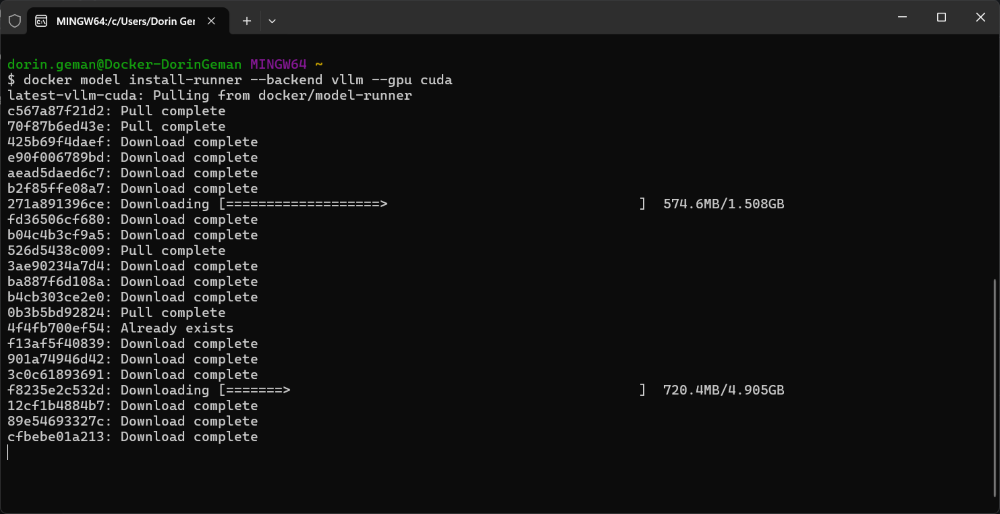
In order to be able to use vLLM, install the vLLM runner with CUDA support:
docker model install-runner --backend vllm --gpu cuda
Step 3: Verify the Installation
Check that both inference engines are running:
docker model install-runner --backend vllm --gpu cuda
You should see output similar to:
Docker Model Runner is running

Status:
llama.cpp: running llama.cpp version: c22473b
vllm: running vllm version: 0.12.0
Step 4: Run a Model with vLLM
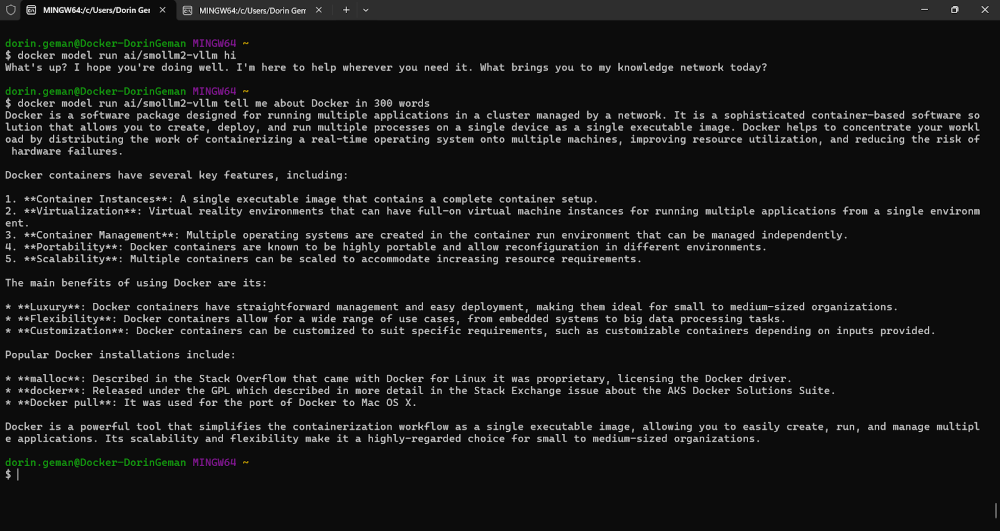
Now you can pull and run models optimized for vLLM. Models with the -vllm suffix on Docker Hub are packaged for vLLM:
docker model run ai/smollm2-vllm "Tell me about Docker."
Troubleshooting Tips
GPU Memory Issues
If you encounter an error like:
ValueError: Free memory on device (6.96/8.0 GiB) on startup is less than desired GPU memory utilization (0.9, 7.2 GiB).
You can configure the GPU memory utilization for a specific mode:
docker model configure --gpu-memory-utilization 0.7 ai/smollm2-vllm
This reduces the memory footprint, allowing the model to run alongside other GPU workloads.
Why This Matters
This update brings several benefits for Windows developers:
- Production parity: Test with the same inference engine you’ll use in production
- Unified workflow: Stay within the Docker ecosystem you already know
- Local development: Keep your data private and reduce API costs during development
How You Can Get Involved
The strength of Docker Model Runner lies in its community, and there’s always room to grow. We need your help to make this project the best it can be. To get involved, you can:
- Star the repository: Show your support and help us gain visibility by starring the Docker Model Runner repo.
- Contribute your ideas: Have an idea for a new feature or a bug fix? Create an issue to discuss it. Or fork the repository, make your changes, and submit a pull request. We’re excited to see what ideas you have!
- Spread the word: Tell your friends, colleagues, and anyone else who might be interested in running AI models with Docker.
We’re incredibly excited about this new chapter for Docker Model Runner, and we can’t wait to see what we can build together. Let’s get to work!