
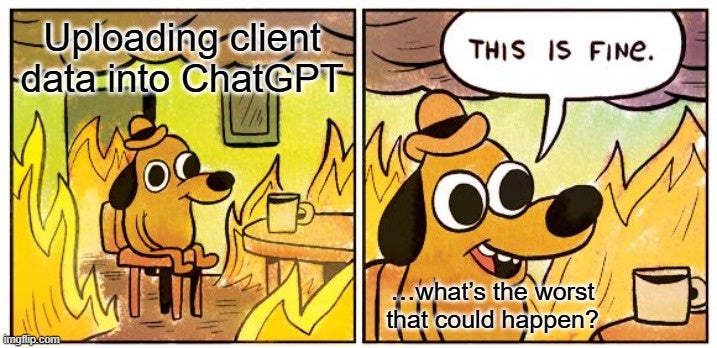
Insider threats have always been difficult to manage because they blur the line between trusted access and risky behavior.
With generative AI, these risks aren’t tied to malicious insiders misusing credentials or bypassing controls; they come from well-intentioned employees simply trying to get work done faster. Whether it’s developers refactoring code, analysts summarizing long reports, or marketers drafting campaigns, the underlying motivation is almost always productivity and efficiency.
Unfortunately, that’s precisely what makes this risk so difficult to manage. Employees don’t see themselves as creating security problems; they’re solving bottlenecks. Security is an afterthought at best.
This gap in perception creates an opportunity for missteps. By the time IT or security teams realize an AI tool has been widely adopted, patterns of risky use may already be deeply embedded in workflows.
Right now, AI use in the workplace is a bit of a free-for-all. And when everyone’s saying “it’s fun” and “everyone’s doing it”, it feels like being back in high school: no one wants to be *that* person telling them to stop because it’s risky.
But, as security, we do have a responsibility.
In this article, I explore the risks of unmanaged AI use, why existing security approaches fall short, and suggest one thing I believe we can do to balance users’ enthusiasm with responsibility (without being the party pooper).
Examples of Risky AI Use
The risks of AI use in the workplace usually fall into one of three categories:
- Sensitive data breaches: A single pasted transcript, log, or API key may seem minor, but once outside company boundaries, it’s effectively gone, subject to provider retention and analysis.
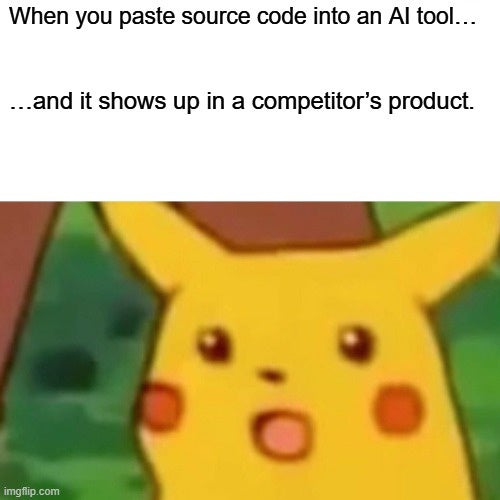
- Intellectual property leakage: Proprietary code, designs, or research drafts fed into AI tools can erode competitive advantage if they become training data or are exposed via prompt injection.
- Regulatory and compliance violations: Uploading regulated data HIPAA, GDPR, etc. into unsanctioned AI systems can trigger fines or legal action, even if no breach occurs.
What makes these risks especially difficult is their subtlety. They emerge from everyday workflows, not obvious policy violations, which means they often go unnoticed until the damage is done.
Shadow AI
For years, Shadow IT has meant unsanctioned SaaS apps, messaging platforms, or file storage systems.
Generative AI is now firmly in this category.
Employees don’t think that pasting text into a chatbot like ChatGPT introduces a new system to the enterprise. In practice, however, they’re moving data into an external environment with no oversight, logging, or contractual protection.
What’s different about Shadow AI is the lack of visibility: unlike past technologies, it often leaves no obvious logs, accounts, or alerts for security teams to follow. With cloud file-sharing, security teams could trace uploads, monitor accounts created with corporate emails, or detect suspicious network traffic.
But AI use often looks like normal browser activity. And while some security teams do scan what employees paste into web forms, those controls are limited.
Which brings us to the real problem: we don’t really have the tools to manage AI use properly. Not yet, at least.
Controls Are Lacking
We all see people trying to get work done faster, and we know we should be putting some guardrails in place, but the options out there are either expensive, complicated, or still figuring themselves out.
The few available AI governance and security tools have clear limitations (even though their marketing might try to convince you otherwise):
- Emerging AI governance platforms offer usage monitoring, policy enforcement, and guardrails around sensitive data, but they’re often expensive, complex, or narrowly focused.
- Traditional controls like DLP and XDR catch structured data such as phone numbers, IDs, or internal customer records, but they struggle with more subtle, hard-to-detect information: source code, proprietary algorithms, or strategic documents.
Even with these tools, the pace of AI adoption means security teams are often playing catch-up. The reality is that while controls are improving, they rarely keep up with how quickly employees are exploring AI.
Lessons from Past Security Blind Spots
Employees charging ahead with new tools while security teams scramble to catch up is not so different from the early days of cloud file sharing: employees flocked to Dropbox or Google Drive before IT had sanctioned solutions. Or think back to the rise of “bring your own device” (BYOD), when personal phones and laptops started connecting to corporate networks without clear policies in place.
Both movements promised productivity, but they also introduced risks that security teams struggled to manage retroactively.
Generative AI is repeating this pattern, only at a much faster rate. While cloud tools or BYOD require some setup, or at least a decision to connect a personal device, AI tools are available instantly in a browser. The barrier to entry is practically zero. That means adoption can spread through an organization long before security leaders even realize it’s happening.
And as with cloud and BYOD, the sequence is familiar: employee adoption comes first, controls follow later, and those retroactive measures are almost always costlier, clumsier, and less effective than proactive governance.
So What Can We Do?
Remember: AI-driven insider risk isn’t about bad actors but about good people trying to be productive and efficient. (OK, maybe with a few lazy ones thrown in for good measure.) It’s ordinary rather than malicious behavior that’s unfortunately creating unnecessary exposure.
That means there’s one measure every organization can implement immediately: educating employees.
Education works best when it’s practical and relatable. Think less “compliance checkbox,” and more “here’s a scenario you’ve probably been in.” That’s how you move from fuzzy awareness to actual behavior change.
Here are three steps that make a real difference:
- Build awareness with real examples. Show how pasting code, customer details, or draft plans into a chatbot can have the same impact as posting them publicly. That’s the “aha” moment most people need.
- Emphasize ownership. Employees already know they shouldn’t reuse passwords or click suspicious links; AI use should be framed in the same personal-responsibility terms. The goal is a culture where people feel they’re protecting the company, not just following rules.
- Set clear boundaries. Spell out which categories of data are off-limits PII, source code, unreleased products, regulated records) and offer safe alternatives like internal AI sandboxes. Clarity reduces guesswork and removes the temptation of convenience.
Until governance tools mature, these low-friction steps form the strongest defense we have.
If you can enable people to harness AI’s productivity while protecting your critical data, you reduce today’s risks. And you’re better prepared for the regulations and oversight that are certain to follow.