The landscape of AI development is rapidly evolving, and one of the most exciting developments in 2025 from Docker is the release of Docker cagent. cagent is Docker’s open-source multi-agent runtime that orchestrates AI agents through declarative YAML configuration. Rather than managing Python environments, SDK versions, and orchestration logic, developers define agent behavior in a single configuration file and execute it with “cagent run”.
In this article, we’ll explore how cagent’s integration with GitHub Models delivers true vendor independence, demonstrate building a real-world podcast generation agent that leverages multiple specialized sub-agents, and show you how to package and distribute your AI agents through Docker Hub. By the end, you’ll understand how to break free from vendor lock-in and build AI agent systems that remain flexible, cost-effective, and production-ready throughout their entire lifecycle.
What is Docker cagent?
cagent is Docker’s open-source multi-agent runtime that orchestrates AI agents through declarative YAML configuration. Rather than managing Python environments, SDK versions, and orchestration logic, developers define agent behavior in a single configuration file and execute it with “cagent run”.
Some of the key features of Docker cagents:
- Declarative YAML Configuration: single-file agent definitions with model configuration, clear instructions, tool access, and delegation rules to interact and coordinate with sub-agents
- Multi-Provider Support: OpenAI, Anthropic, Google Gemini, and Docker Model Runner (DMR) for local inference.
- MCP Integration support: Leverage MCP (Stdio, HTTP, SSE) for connecting external tools and services
- Secured Registry Distribution: Package and share agents securely via Docker Hub using standard container registry infrastructure.
- Built-In Reasoning Tools: “think’, “todo” and “memory” capabilities for complex problem solving workflows.
The core value proposition is simple: declare what your agent should do, and cagent handles your execution. Each agent operates with isolated context, specialized tools via the Model Context Protocol (MCP), and configurable models. Agents can delegate tasks to sub-agents, creating hierarchical teams that mirror human organizational structures.
What are GitHub Models?
GitHub Models is a suite of developer tools that take you from AI idea to deployment, including a model catalog, prompt management, and quantitative evaluations.GitHub Models provides rate-limited free access to production-grade language models from OpenAI (GPT-4o, GPT-5, o1-preview), Meta (Llama 3.1, Llama 3.2), Microsoft (Phi-3.5), and DeepSeek models.The advantage with GitHub Models are you need to Authenticate only once via GitHub Personal Access Tokens and you can plug and play any models of your choice supported by GitHub Models.
You can browse to GitHub Marketplace at https://github.com/marketplace to see the list of all models supported. Currently GitHub supports all the popular models and the list continues to grow. Recently, Anthropic Claude models were also added.
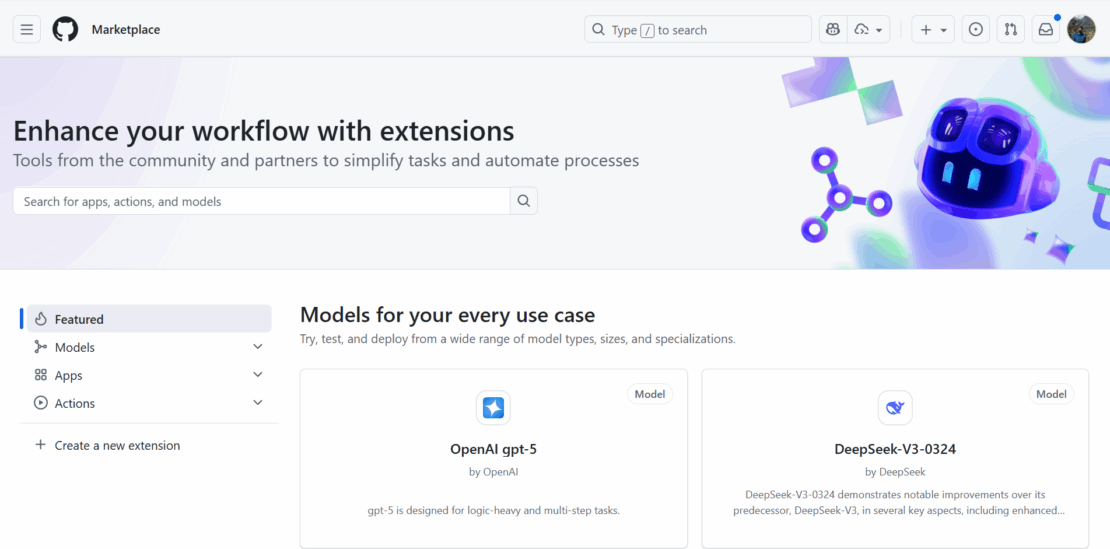
Figure 1.1: GitHub Marketplace displaying list of all models available on the platform
GitHub has designed its platform, including GitHub Models and GitHub Copilot agents, to support production-level agentic AI workflows, offering the necessary infrastructure, governance, and integration points.GitHub Models employs a number of content filters. These filters cannot be turned off as part of the GitHub Models experience. If you decide to employ models through Azure AI or a paid service, please configure your content filters to meet your requirements.
To get started with GitHub Models, visit https://docs.github.com/en/github-models/quickstart which contains detailed quick start guides.
Configuring cagent with GitHub Models
GitHub Models OpenAI-compatible API allows straightforward integration with cagent by treating it as a custom OpenAI provider with modified base URL and authentication.
In this article, we will create and deploy a PodCast Generator agent using Github models and show you how easy it is to deploy and share AI agents by deploying it to Docker Hub registry. It is necessary to create a fine-grained personal access token by navigating to this url: https://github.com/settings/personal-access-tokens/new
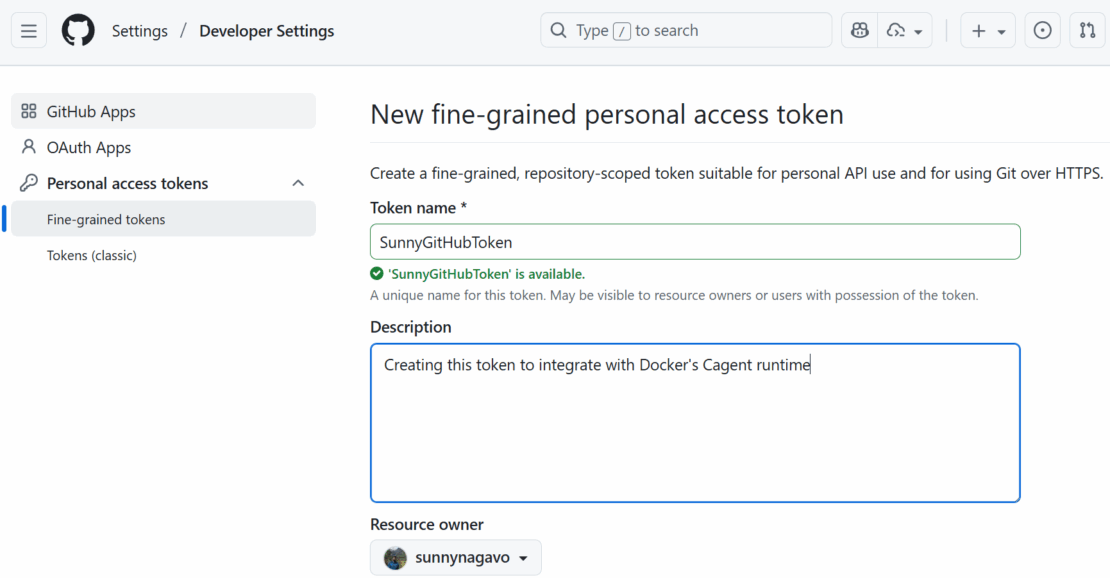
Figure 1.2: Generating a new personal access token (PAT) from GitHub developer settings.
Prerequisites
- Docker Desktop 4.49+ with MCP Toolkit enabled
- GitHub Personal Access Token with models scope
- Download cagent binary from https://github.com/docker/cagent repository. Place it inside the folder
C:\Dockercagent. Run.\cagent-exe –helpto see more options.
Define your agent
I will showcase a simple podcast generator agent, which I created months ago during my testing of Docker cagent. This Agent’s purpose is to generate podcasts by sharing blogs/articles/youtube videos.
Below Podcastgenerator yaml file describes a sophisticated multi-agent workflow for automated podcast production, leveraging GitHub Models and MCP tools (DuckDuckGo) for external data access. The DuckDuckGo MCP server runs in an isolated Docker container managed by the MCP gateway. To learn more about docker MCP server and MCP Gateway refer to official product documentation at https://docs.docker.com/ai/mcp-catalog-and-toolkit/mcp-gateway/.
The root agent uses sub_agents: [“researcher”, “scriptwriter”] to create a hierarchical structure where specialized agents handle domain-specific tasks.
sunnynagavo55_podcastgenerator.yaml
#!/usr/bin/env cagent run

agents:
  root:
    description: "Podcast Director - Orchestrates the entire podcast creation workflow and generates text file"
    instruction: |
     You are the Podcast Director responsible for coordinating the entire podcast creation process.

      Your workflow:
      1. Analyze input requirements (topic, length, style, target audience)
      2. Delegate research to the research agent which can open duck duck go browser for researching
      3. Pass the researched information to the scriptwriter for script creation
      4. Output is generated as a text file which can be saved to file or printed out
      5. Ensure quality control throughout the process

      Always maintain a professional, engaging tone and ensure the final podcast meets broadcast standards.
    model: github-model
    toolsets:
      - type: mcp
        command: docker
        args: ["mcp", "gateway", "run", "--servers=duckduckgo"]
    sub_agents: ["researcher", "scriptwriter"]
  researcher:
    model: github-model
    description: "Podcast Researcher - Gathers comprehensive information for podcast content"
    instruction: |
      You are an expert podcast researcher who gathers comprehensive, accurate, and engaging information.

      Your responsibilities:
      - Research the given topic thoroughly using web search
      - Find current news, trends, and expert opinions
      - Gather supporting statistics, quotes, and examples
      - Identify interesting angles and story hooks
      - Create detailed research briefs with sources
      - Fact-check information for accuracy

      Always provide well-sourced, current, and engaging research that will make for compelling podcast content.
    toolsets:
        - type: mcp
          command: docker
          args: ["mcp", "gateway", "run", "--servers=duckduckgo"]
  scriptwriter:
    model: github-model
    description: "Podcast Scriptwriter - Creates engaging, professional podcast scripts"
    instruction: |
      You are a professional podcast scriptwriter who creates compelling, conversational content.

      Your expertise:
      - Transform research into engaging conversational scripts
      - Create natural dialogue and smooth transitions
      - Add hooks, sound bite moments, and calls-to-action
      - Structure content with clear intro, body, and outro
      - Include timing cues and production notes
      - Adapt tone for target audience and podcast style
      - Create multiple format options (interview, solo, panel discussion)

      Write scripts that sound natural when spoken and keep listeners engaged throughout.
    toolsets:
      - type: mcp
        command: docker
        args: ["mcp", "gateway", "run", "--servers=filesystem"]
models:
  github-model:
    provider: openai
    model: openai/gpt-5
    base_url: https://models.github.ai/inference
    env:
      OPENAI_API_KEY: ${GITHUB_TOKEN}
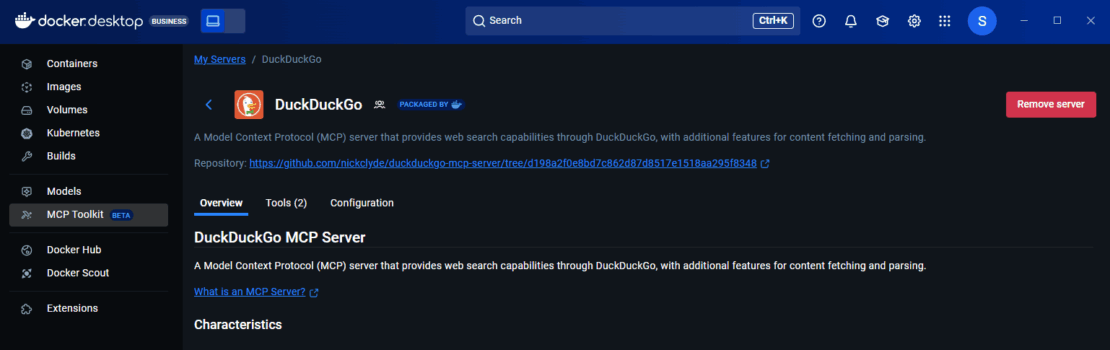
Note: Since we are using DuckDuckGo MCP server, make sure to add and install this MCP server from MCP catalog on your docker desktop
Running your Agent on Local Machine
Make sure to update your GitHub PAT token and Run the below command to run your agent from the root folder where your cagent binaries reside.
cagent run ./sunnynagavo55_podcastgenerator.yaml
Pushing your Agent as Docker Image
Run the below command to push your agent as a docker image to your favorite registry to share it with your team.
cagent push Sunnynagavo55/Podcastgenerator
You can see your published images inside your repositories as shown below.
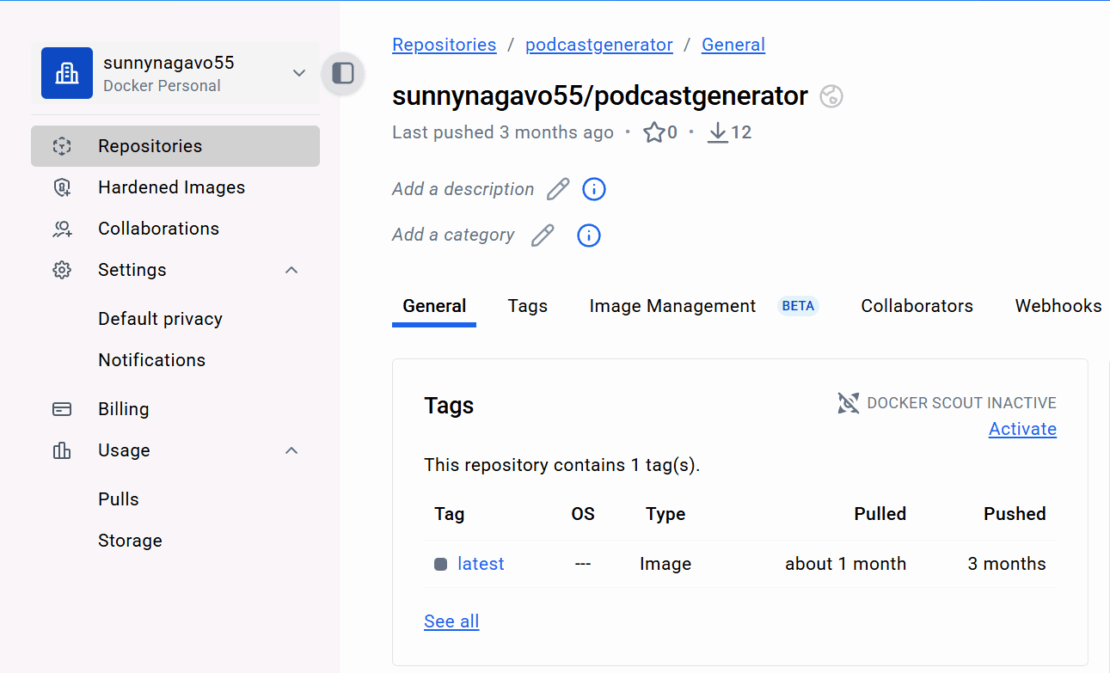
Congratulations! Now we have our first AI Agent created using cagent and deployed to Docker Hub.
Pulling your Agent as Docker Image on a different machine
Run the below command to pull your docker image agent, created by your teammate, which gets the agent yaml file and saves it in the current directory.
cagent pull Sunnynagavo55/Podcastgenerator
Alternatively, you can run the same agent directly without pulling the image by using the below command.
cagent run Sunnynagavo55/Podcastgenerator
Note: Above Podcastgenerator example agent has been added to Docker/cagent GitHub repository under examples folder. Give it a try and share your experience. https://github.com/docker/cagent/blob/main/examples/podcastgenerator_githubmodel.yaml
Conclusion
The traditional AI development workflow locks you into specific providers, requiring separate API keys, managing multiple billing accounts, and navigating vendor-specific SDKs. cagent with GitHub Models fundamentally changes this equation by combining Docker’s declarative agent framework with GitHub’s unified model marketplace. This integration grants you true vendor independence—a single GitHub Personal Access Token provides access to models from OpenAI, Meta, Microsoft, Anthropic, and DeepSeek, eliminating the friction of managing multiple credentials and authentication schemes.
The future of AI development isn’t about choosing a vendor and committing to their ecosystem. Instead, it’s about building systems flexible enough to adapt as the landscape evolves, new models emerge, and your business requirements change. cagent and GitHub Models make that architectural freedom possible today.
What are you waiting for? Start building now with the power of cagent and GitHub Models and share your story with us.
Resources
To learn more about docker cagent, read the product documentation from https://docs.docker.com/ai/cagent/
For more information about cagent, see the GitHub repository. Give this repository a star and let us know what you build.