
We recently showed how to pair OpenCode with Docker Model Runner for a privacy-first, cost-effective AI coding setup. Today, we’re bringing the same approach to Claude Code, Anthropic’s agentic coding tool.
This post walks through how to configure Claude Code to use Docker Model Runner, giving you full control over your data, infrastructure, and spend.
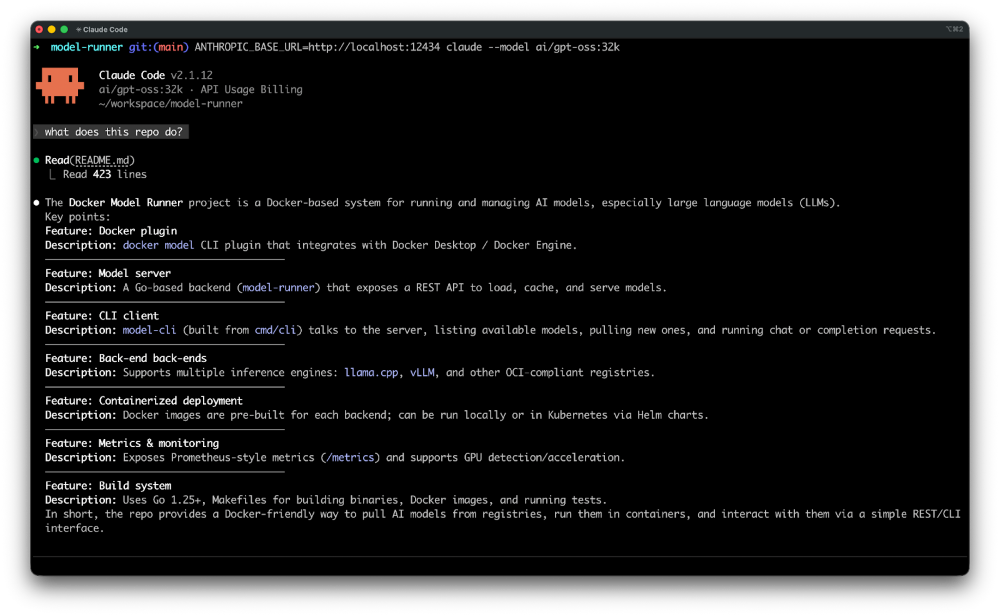
Figure 1: Using local models like gpt-oss to power Claude Code
What Is Claude Code?
Claude Code is Anthropic’s command-line tool for agentic coding. It lives in your terminal, understands your codebase, and helps you code faster by executing routine tasks, explaining complex code, and handling git workflows through natural language commands.
Docker Model Runner (DMR) allows you to run and manage large language models locally. It exposes an Anthropic-compatible API, making it straightforward to integrate with tools like Claude Code.
Install Claude Code
Install Claude Code:
macOS / Linux:
curl -fsSL https://claude.ai/install.sh | bash
Windows PowerShell:
irm https://claude.ai/install.ps1 | iex
Using Claude Code with Docker Model Runner
Claude Code supports custom API endpoints through the ANTHROPIC_BASE_URL environment variable. Since Docker Model Runner exposes an Anthropic-compatible API, integrating the two is simple.
Note for Docker Desktop users:
If you are running Docker Model Runner via Docker Desktop, make sure TCP access is enabled:
docker desktop enable model-runner --tcp
Once enabled, Docker Model Runner will be accessible at http://localhost:12434.
Increasing Context Size
For coding tasks, context length matters. While models like glm-4.7-flash, qwen3-coder and devstral-small-2 come with 128K context by default, gpt-oss defaults to 4,096 tokens.
Docker Model Runner makes it easy to repackage any model with an increased context size:
docker model pull gpt-oss
docker model package --from ai/gpt-oss --context-size 32000 gpt-oss:32k
Once packaged, use it with Claude Code:
ANTHROPIC_BASE_URL=http://localhost:12434 claude --model gpt-oss:32k
ANTHROPIC_BASE_URL=http://localhost:12434 claude --model gpt-oss "Describe this repo."
That’s it. Claude Code will now send all requests to your local Docker Model Runner instance.
Run Claude Code locally with gpt-oss using Docker Model Runner
Here’s what it looks like in action:
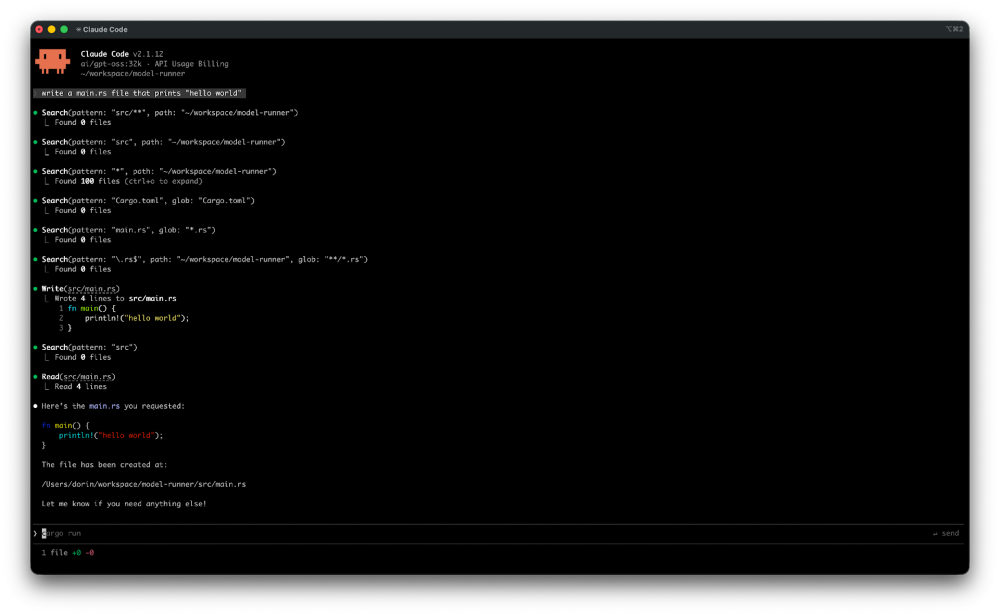
Figure 2: Claude Code powered by Docker Model Runner keeps everything local and in your control
$ docker model pull gpt-oss

$ docker model package --from ai/gpt-oss --context-size 32000 gpt-oss:32k

$ ANTHROPIC_BASE_URL=http://localhost:12434 claude --model gpt-oss:32k "Describe this repo."

 ▐▛███▜▌   Claude Code v2.1.12
▝▜█████▛▘  gpt-oss:32k · API Usage Billing
  ▘▘ ▝▝    ~/workspace/model-runner

❯ Describe this repo.

⏺ Read(README.md)
  ⎿  Read 423 lines

⏺ Docker Model Runner (DMR)
  - A Go-based tool that lets developers pull, run, and serve AI models
    directly from Docker Hub or any OCI-compatible registry.
  - Consists of two main components:
    a. model-runner – a server/daemon that manages model lifecycle,
       inference, and metrics.
    b. model-cli – a CLI plugin (docker model) that communicates with
       the server, listing models, pulling new ones, and executing inference.

  - Supports multiple inference backends: llama.cpp, vLLM, and others.
  - Built with Docker Desktop in mind, but also works with Docker Engine
    on Linux.
  - Provides a REST API for model management and inference, plus a
    /metrics endpoint for Prometheus-style monitoring.
Claude Code reads your repository, reasons about its structure, and provides an accurate summary, all while keeping your code entirely on your local machine.
Monitor the requests sent by Claude Code
Want to see exactly what Claude Code sends to Docker Model Runner? Use the docker model requests command:
docker model requests --model gpt-oss:32k | jq .
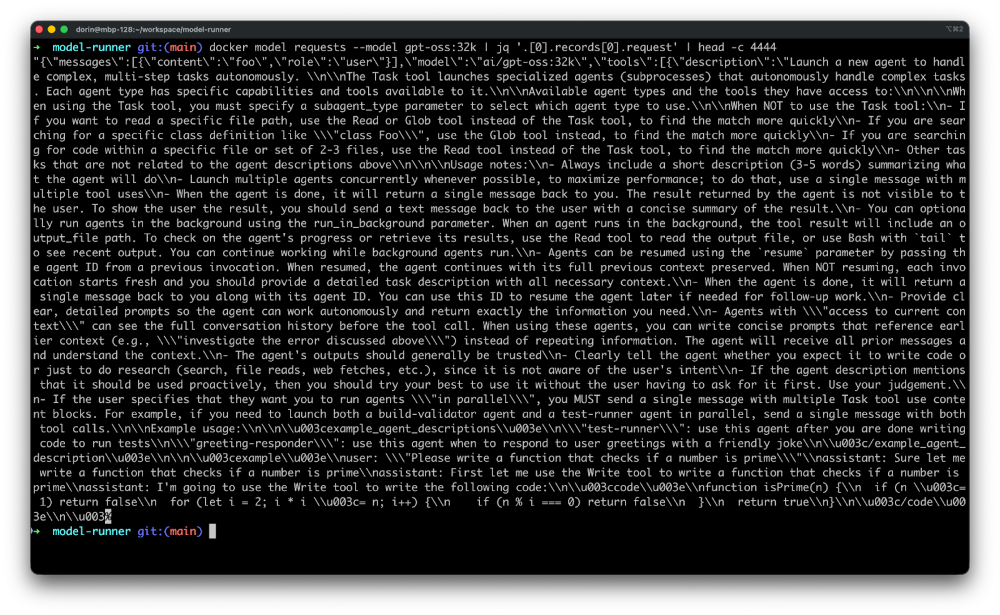
Figure 3: Monitor requests sent by Claude Code to the LLM
This outputs the raw requests, which is useful for understanding how Claude Code communicates with the model and debugging any compatibility issues.
Making It Persistent
For convenience, set the environment variable in your shell profile:
# Add to ~/.bashrc, ~/.zshrc, or equivalent
export ANTHROPIC_BASE_URL=http://localhost:12434
Then simply run:
claude --model gpt-oss:32k "Describe this repo."
How You Can Get Involved
The strength of Docker Model Runner lies in its community, and there’s always room to grow. To get involved:
- Star the repository: Show your support by starring the Docker Model Runner repo.
- Contribute your ideas: Create an issue or submit a pull request. We’re excited to see what ideas you have!
- Spread the word: Tell your friends and colleagues who might be interested in running AI models with Docker.
We’re incredibly excited about this new chapter for Docker Model Runner, and we can’t wait to see what we can build together. Let’s get to work!
Learn More
- Read the companion post: OpenCode with Docker Model Runner for Private AI Coding
- Check out the Docker Model Runner General Availability announcement
- Visit our Model Runner GitHub repo
- Get started with a simple hello GenAI application
- Learn more about Claude Code from Anthropic’s documentation